 TechGuyZone
Search where you mean to.
Start in Current Folder, or switch to Drive for a wider search. Find names or text content. Results stay in the file pane, with progress and cancellation when you need it.

Your projects. Your files. Your terminal. Everything in place.
Built in Rust. Fast. Clean. Practical.
A native Mac file manager built around the way you work: in projects. Your favourite files, saved tabs, a real terminal and matching Todoist tasks. Finally, together.
macOS 14+Apple Silicon & Intel targetsPublic builds on GitHub
Choose Apple Silicon or Intel on GitHub. Installation & release notes ↗
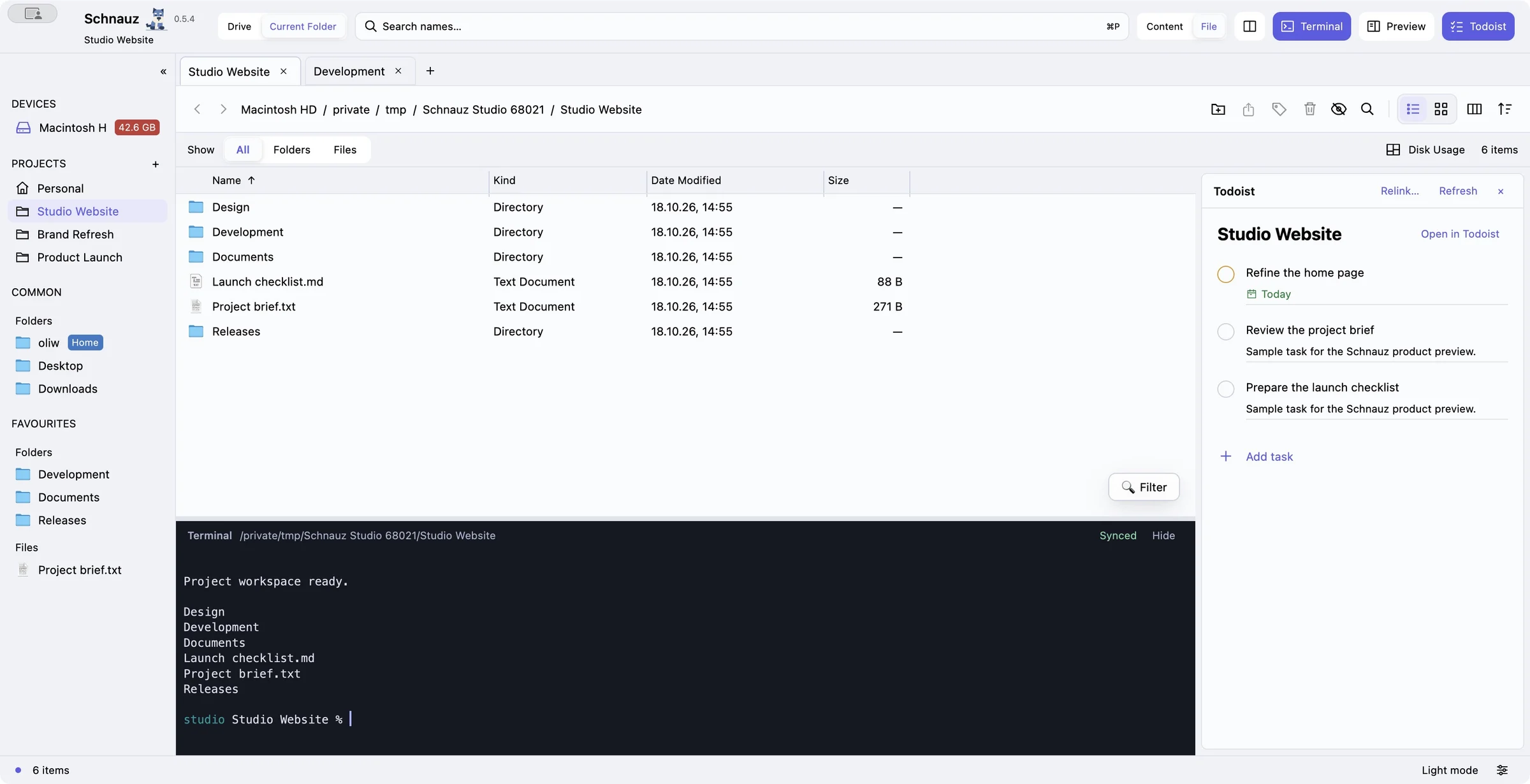
A website. A brand refresh. A product launch. Each project opens with its own favourite folders, pinned files, saved tabs and layout.
Drag the places you need into Favourites. Keep shared locations in Common. Spend less time setting up, and more time getting somewhere.
Project-specific favourites and pinned files, with shared shortcuts always close.
Saved tabs and layouts bring the right workspace back with each project.
Windows share the selected project and keep independent browsing tabs. Live terminals stay with their project.
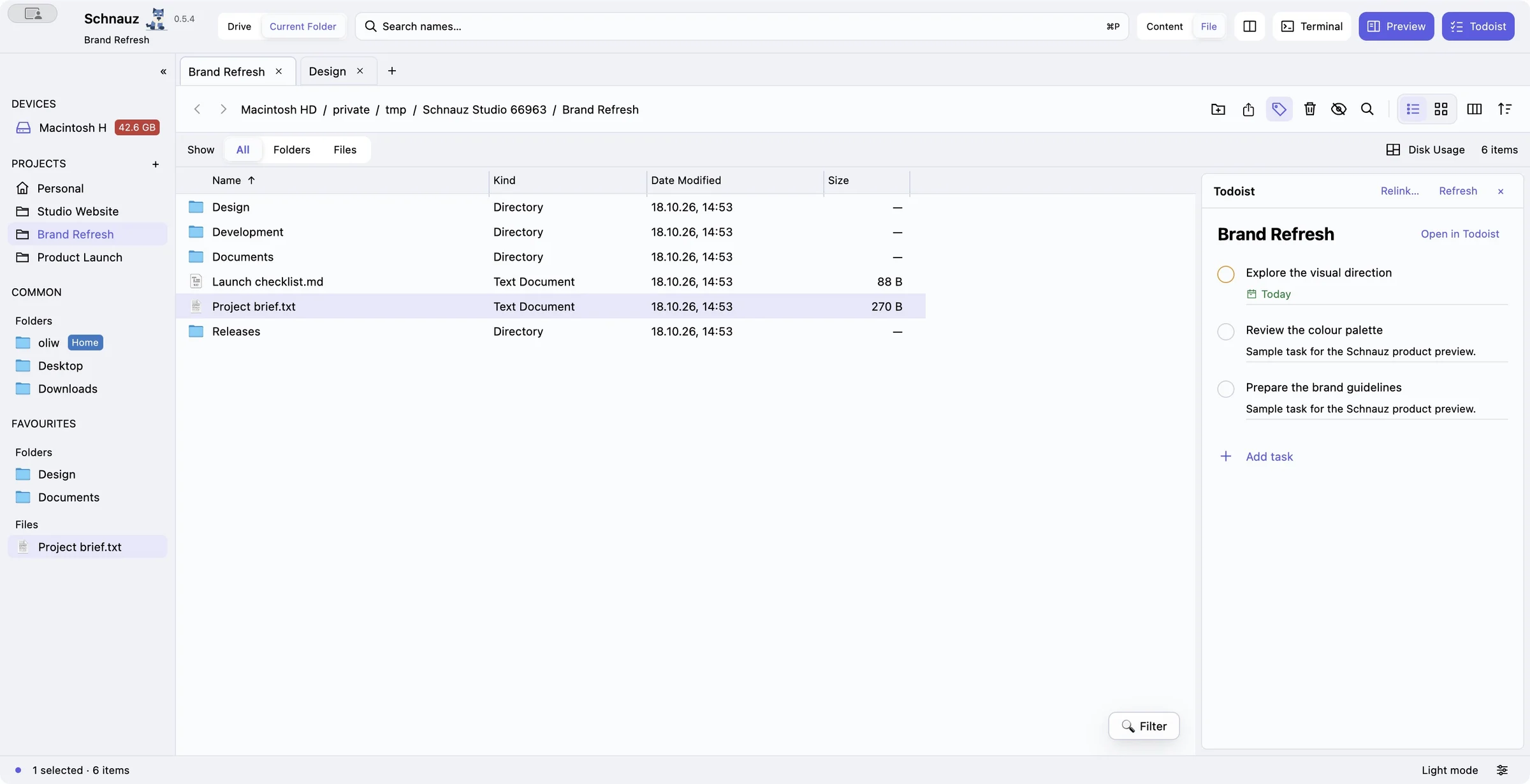
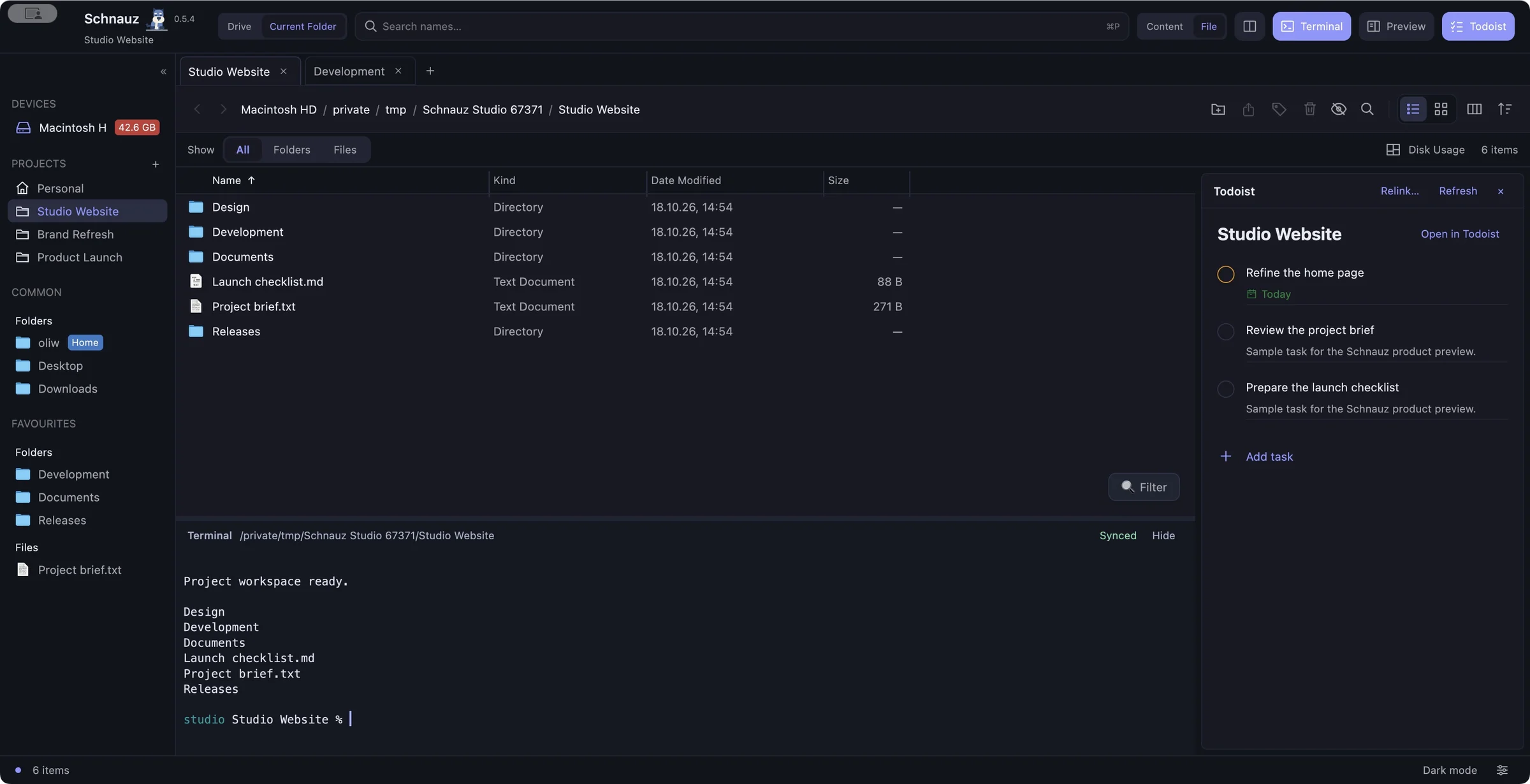
A persistent interactive terminal beside your files. Real command-line tools, scrollback, text selection and copying. No window shuffle required.
At an idle local prompt, folders and terminal can follow each other. When Codex, an editor or another foreground CLI is running, browsing leaves its session alone.
An SSH folder can open its own interactive terminal. Supported remote Bash/Zsh sessions can lead the file browser to their current directory. SSH following is terminal → browser only: clicking folders never injects commands into a running remote shell. Detach to browse your Mac while SSH continues.
A colleague sends a path. A command prints a filename. Copy it, click the Schnauz file browser and paste.
A folder path opens the folder. A file path opens its containing folder and selects the file. Text fields and the terminal keep their ordinary paste behaviour.
~/Projects/Website/README.md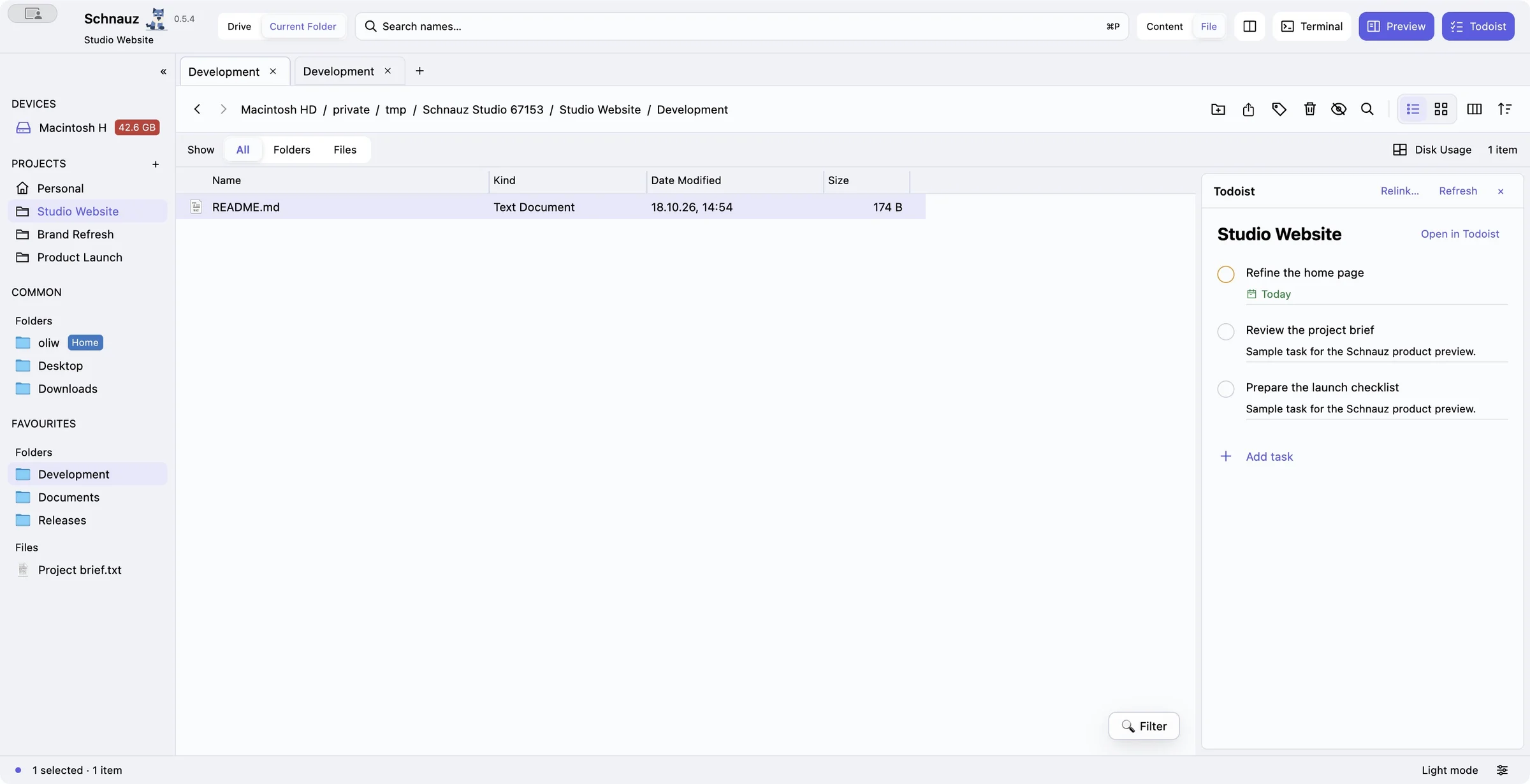
Absolute paths, Home-relative paths and supported local file:// URLs. Press ⌘ L to edit the full path. Copied file objects still paste files.
Your project has tasks. Now they have a place beside its files.
Connect Todoist once and use matching project names. Schnauz can reuse the right project or create its same-named counterpart. If a name matches more than once, you choose.
Switch projects and the Tasks pane follows. Complete tasks, see sections, subtasks, due dates and priorities, or add a task with the compact native composer. New tasks stay locked to the right project, even if you switch before saving.
How does the connection work?Detail from the real development preview. Sample tasks; no live Todoist account is shown.
Useful tools, when you need them. A workspace that stays focused on what you’re doing.
Start in Current Folder, or switch to Drive for a wider search. Find names or text content. Results stay in the file pane, with progress and cancellation when you need it.
Read and copy text, inspect photos, and play supported video, muted by default. The resizable preview stays independent of your tasks and storage tools.
List or Icons. Choose, reorder and resize columns. Save sorting, view mode and preview width per folder, or apply a view to its descendants. Settings stay centrally stored.
Recognisable provider badges for cloud and network locations. Optional direct Nextcloud integration adds sharing, internal links and server-supported locks.
Mounted-drive capacity at a glance. Choose Disk Usage for an on-demand visual folder map, then jump back to its files. Browsing doesn’t trigger recursive size scans.
A clean, practical file manager built with Rust and GPUI’s native renderer. No Electron runtime. Visible-row rendering, bounded caches and on-demand background work keep browsing focused. No startup home-folder index.
These are implementation choices, not published benchmark results. Todoist and Nextcloud are optional services; local browsing does not require either account. Some provider-only policies still use a labelled Finder handoff.
Explore the actual app in both appearances. Open any screenshot for a closer look.
Public Mac builds are available for Apple Silicon and Intel. The download button opens the newest published GitHub release with a Mac installer, including prereleases. Choose the right architecture and read its release notes before installing.
Open the correct DMG and drag Schnauz.app into Applications. Each release includes SHA256SUMS.txt for verification. Keep macOS security protections enabled and follow the official installation notes. There is no automatic updater. Full Disk Access stays under your control.
Schnauz is an alternative workspace for everyday file browsing and project work. It runs alongside Finder; it does not replace macOS system components.
Public Mac builds are available on GitHub. Use Download / GitHub to open the newest published release with a Mac installer, including prereleases. Choose arm64 for Apple Silicon or x86_64 for Intel. The screenshots on this page were captured from the 0.5.4 development preview with sample data.
Schnauz requires macOS 14 or later. Apple Silicon and Intel DMG installers are published on GitHub. The verified v0.5.5 prerelease is Apple Development signed and not Apple-notarized. Its Intel validation uses Rosetta. Check the selected release’s installation notes and keep macOS security protections enabled.
No. They are optional integrations. Local project browsing, previews and the terminal work without connecting those accounts.
The current connection uses a personal API token entered in a secure native field and kept in macOS Keychain. OAuth is a future improvement. The Todoist toolbar button appears only after an account is configured. Some optional task fields depend on your Todoist account or plan.
Todoist and Nextcloud credentials are stored in macOS Keychain, separately from source code and ordinary settings. Nextcloud obtains its own app credential through the browser login flow. Never include tokens in screenshots, website forms or bug reports.
Local folder sync pauses while a foreground CLI is running. Browser navigation does not send it a directory change. SSH following is terminal-to-browser only. Existing terminals remain visible when you navigate; restarting an idle local shell through recovery is a deliberate action because it resets shell state and unfinished input.
In the file browser, a folder path opens that folder. A file path opens its containing folder and selects the file; it does not automatically open the file in an editor. Terminal and text-input paste behave normally.
No. Recursive storage analysis starts only when you choose Disk Usage. Mounted-drive capacity badges use filesystem totals. There is no startup home-folder index; searches and storage scans start on demand.
The public repository and downloadable releases are at github.com/weiaoli2/Schnauz. The original MIT license and third-party attribution are preserved. Use GitHub Issues for bugs and ideas. Send security reports privately to o@freedom-net.de, without account tokens or private file contents.

Schnauz is developed and designed by Oliver Weber, with implementation assistance from Codex. Its name comes with a real schnauzer: Cookie.
Schnauz is an independent app based on Shuffle by Jaime Guzman (WizenPainter). The original MIT copyright and license are preserved. Its terminal uses gpui-terminal, Alacritty and portable-pty. Full third-party notices and component source-access information accompany the repository and releases.